When I generate a Noted Events report, I am redirected - how do I fix this?
Administrators
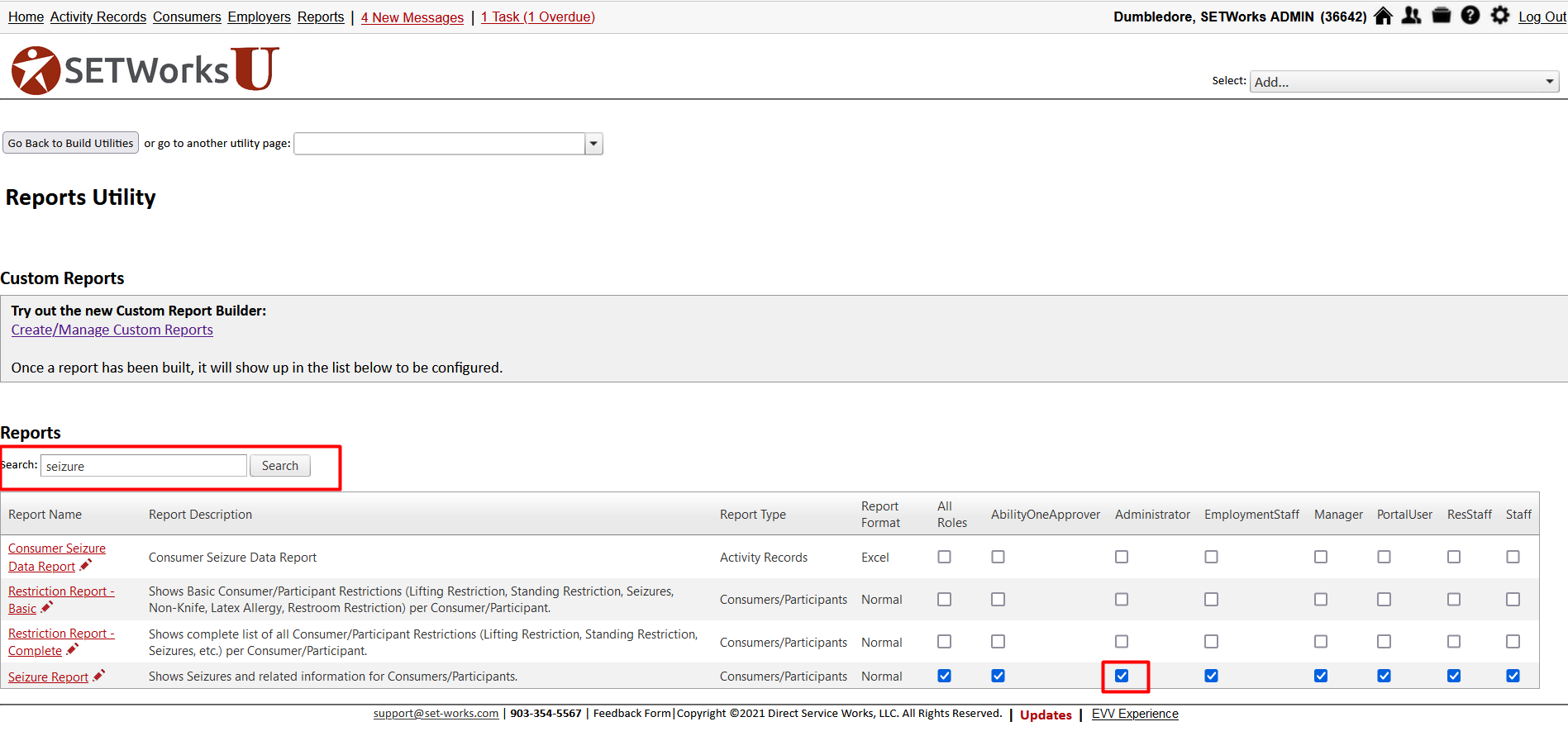
Noted Events is a tab within the Consumer Profile and allows the documentation of incidents, accidents, and seizures. There is an Incident, Accident, and Seizure report for each event type and they each must be enabled within the Reports Utility to generate.
Note: Terminology can be modified within SETWorks to better fit the needs of your organization. If the terminology in our articles are not the same on your site, talk to your local administrator to assist in translation.
Enable Noted Events Reports
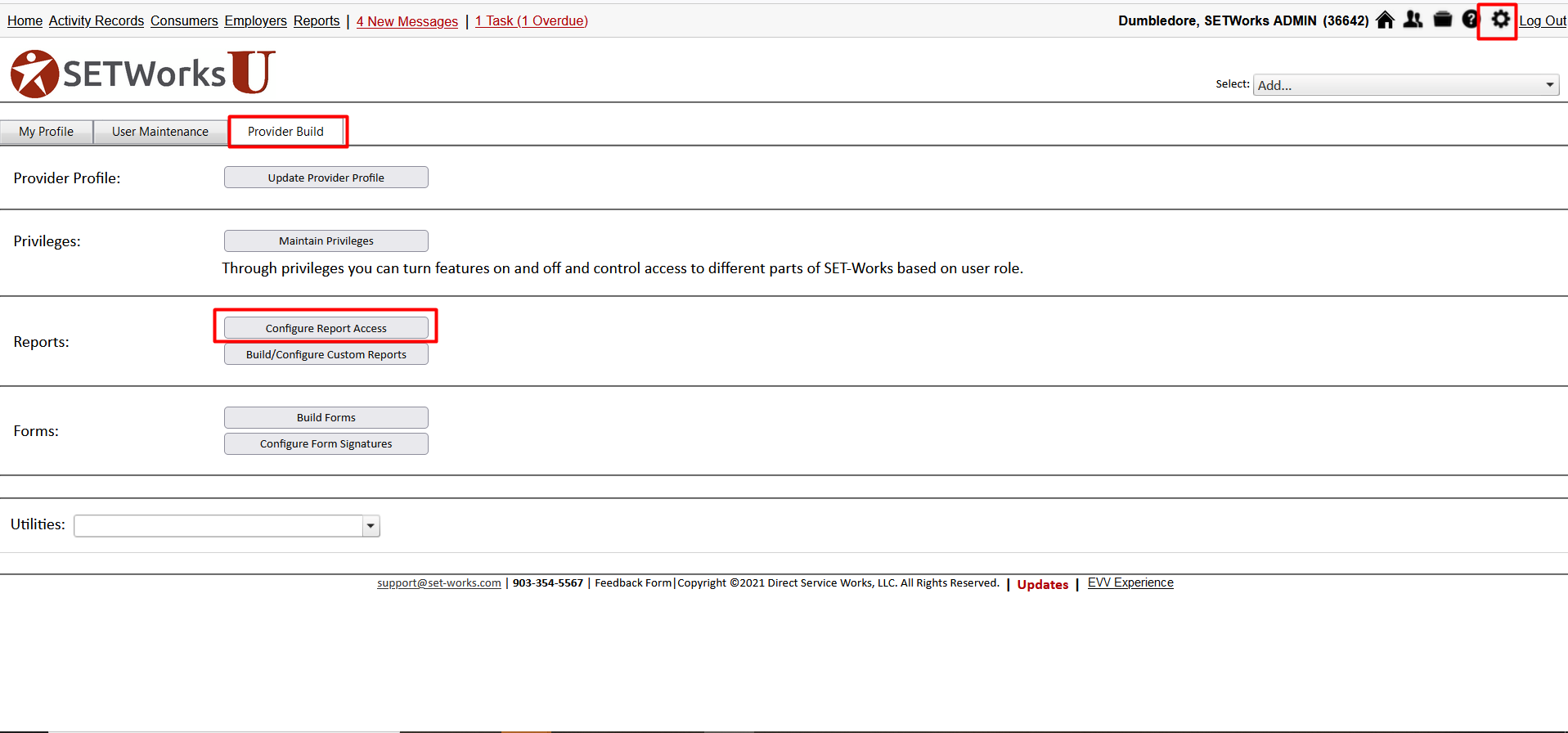
Settings > Provider Build > Configure Report Access
NOTE: If you do not have access to this tab, contact your local administrator for assistance.
Search each report:
Note: Incident Report
Note: Seizure Report
Note: Accident Report
Enable for the necessary roles.