OOD Form 08 - CBA OTJS JRT WA
Form 8 only works for the following services: Community Based Assessment, On the Job Support, Job Readiness Training, Work Adjustment
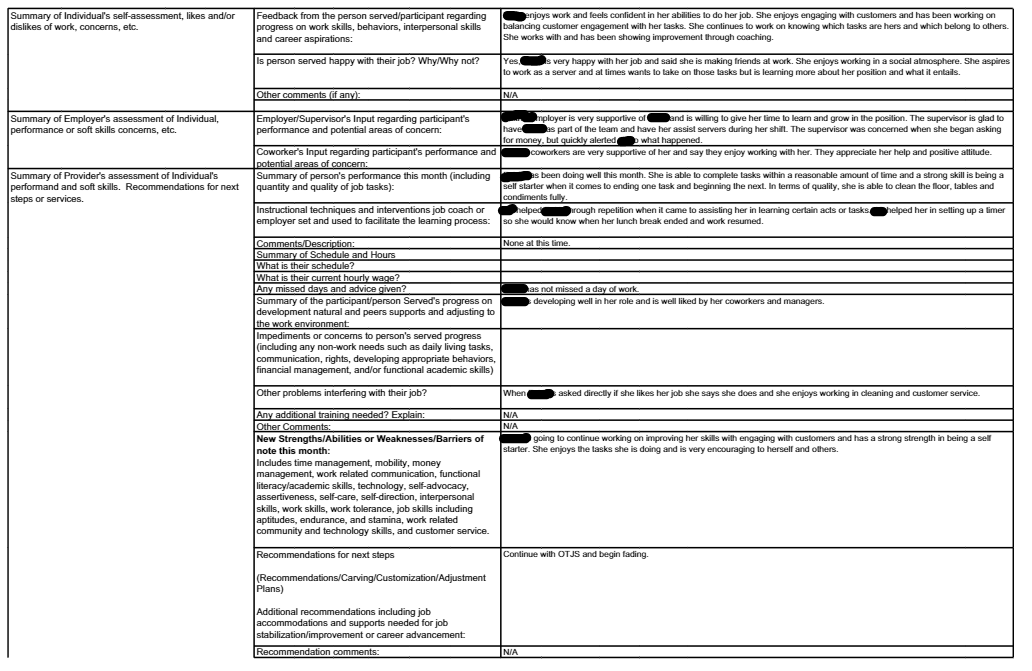
This is the OOD Provider Form titled Form 08 - Monthly Placement
------------------------
Form 8 major sources of data but really has quite a bit: Form, Group Activity Record, Protocol/Custom Plan Questions, Outcomes/Goals/Steps.
Note: Everything in Red
font are automatic calculations on the excel sheet.NOTE: Throughout this document, "Merge Report" is used to refer to the Form 8 output. "Form" is used to refer to form creation within SETWorks.
As a General Rule:
If the data on the form is correct and is not appearing on merge reports - this is an engineering problem. Submit a Jira.
If the data on the form matches the merge report but the content is wrong - this is a data entry problem. Refer to the form.
Merge Report: Page 1
Most data appears as predefined query answers on the form from various parts of the site.
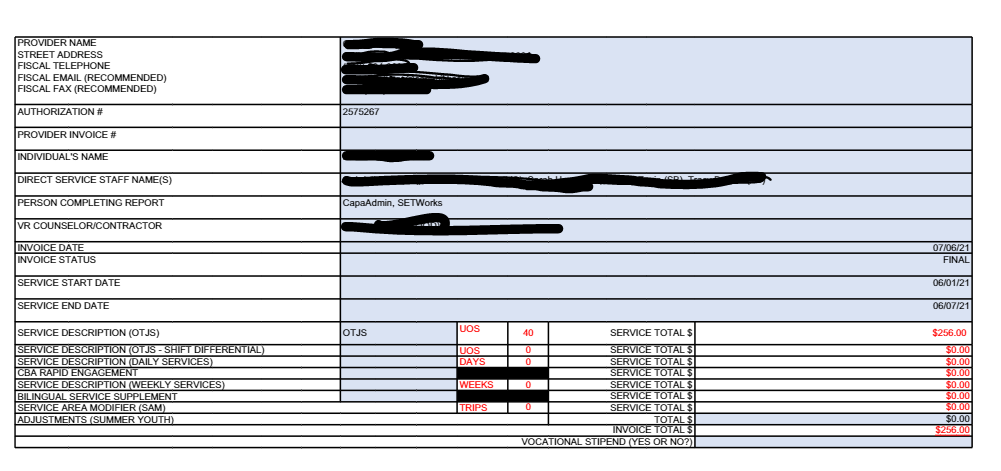
Top Row: Generated from Settings > Provider Build > Provider Profile.
Service Start Date: Generates from the earliest date range of the Activity Records that fall within that form date range. Will be the first entry on 4.
Service End Date: Generates from the latest date range of the Activity Records that fall within that form date range. Will be the last entry on 4.
Calculations: automatically calculates on the excel sheet.
Troubleshooting: Refer to the manual entry on the form.
Merge Report: Page 2
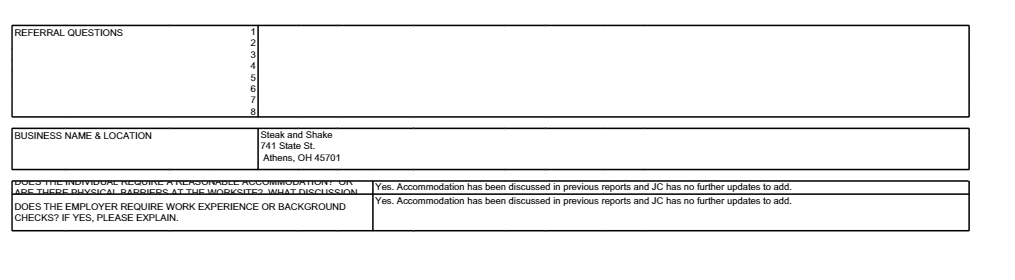
All data appears as predefined query answers or through manual input.
Troubleshooting: Refer to the manual entry on the form.
Merge Report: Page 3
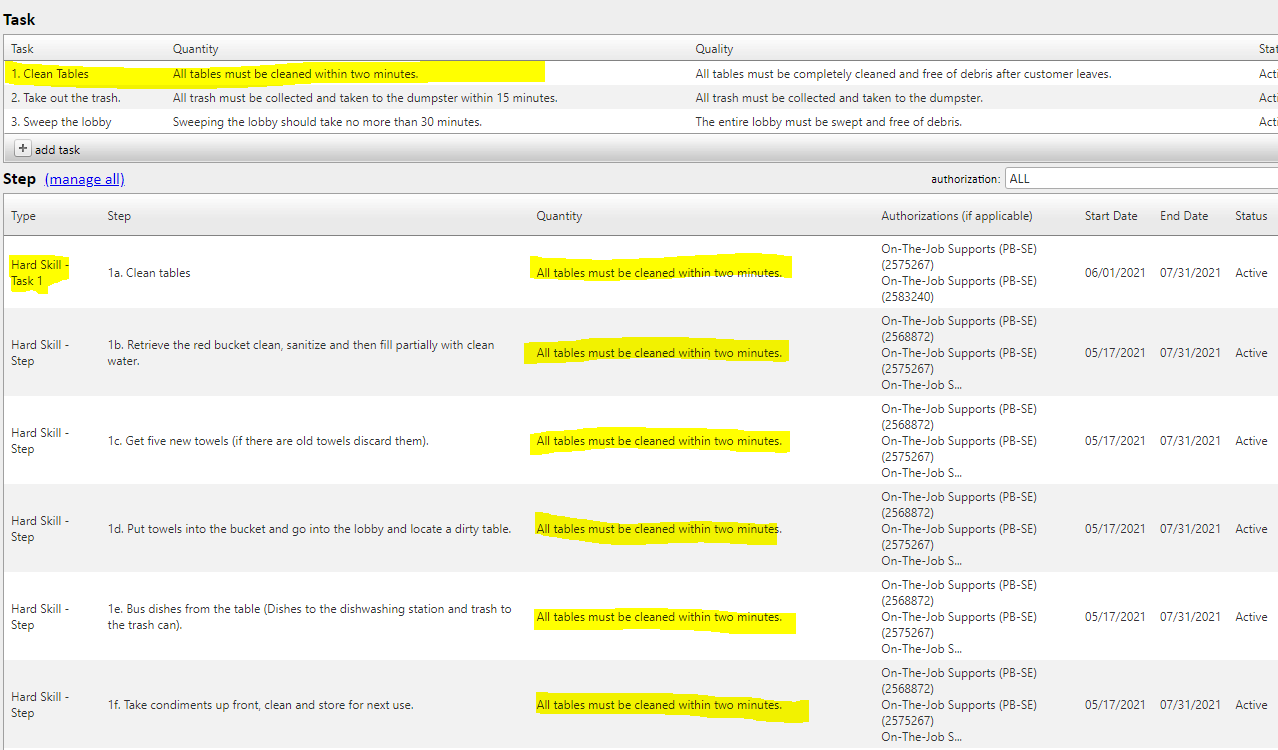
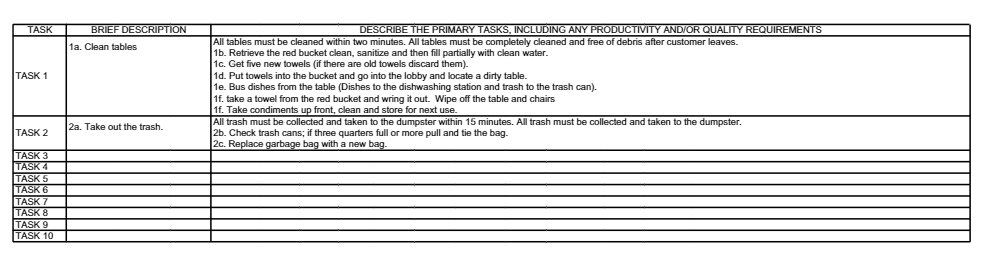
All data appears from Outcome/Goals/Steps and Goal Types.
State-specific language for Ohio:
Outcome = Task
Goal/Steps = Step
Set-up within the Goals tab must be the following.
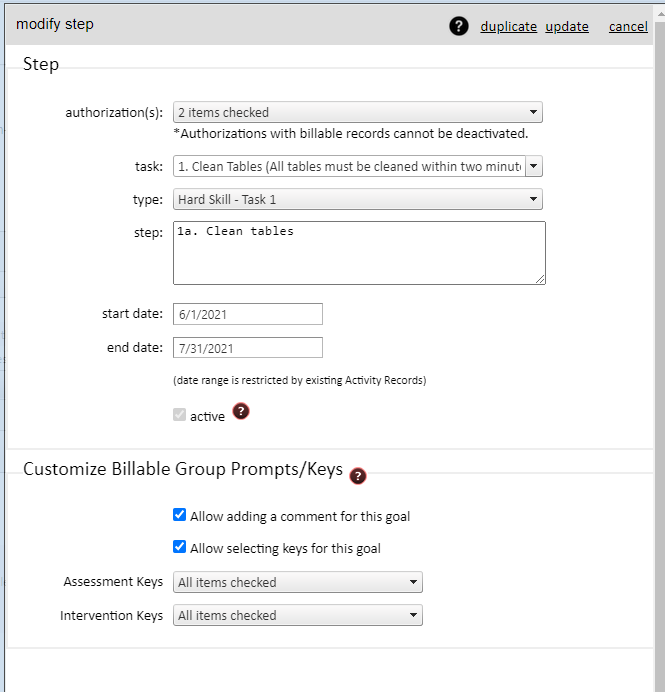
1. Process Tasks by completing the text boxes.
2. Process Steps by selecting an authorization.
3. Select a Task.
4. Select a Type.
NOTE: You can only attach one Hard Skill # to a single task. More than one will attach the data incorrectly and appear on the merge report incorrectly.
NOTE: Hard Skill # must be attached in numeric order in order to appear on merge report in numeric order.
NOTE: You can attach an unlimited number of Hard Skill Steps to the tasks.
5. Type out your step.
6. Select a start date.
7. Select an end date.
Troubleshooting:
1. Check your authorization.
2. Check your Task and Type assignment within the Step window.
3. Check your date range.
4. Ask Brad.
Merge Report: Page 4 and will populate for many pages
Data appears from Activity Records and Protocol/Custom Plan Questions.
Services Crosses Midnight: Appears as Yes or No
Units: Automatically calculated in excel
Hygiene/Dress through Self-Starter/Stays on Task: Processed as Protocol/Custom Plan Questions
NOTE: If there is not answer on the Activity Record for a Protocol/Custom Plan Question, the merge report defaults to NA.
Narrative: The consumer comment on the Group Activity Record for that individual.
Troubleshooting: Refer to the Activity Record or Protocol/Custom Plan Questions.

Merge Report: Tasks Rating Grid (NO TASK)
Data appears from Activity Records and Outcomes/Goals/Steps.
Ratings: I/A keys on the Activity Record
Narrative: Goal Comments concatenated except where [No Comment Needed] is typed
Troubleshooting: Refer to the Activity Record and Outcomes/Goals/Steps

Merge Report: Last Page or two
Data appears from manual form entry.
Columns flex based on the service within the Authorization.
Troubleshooting: Refer to the form.