
How do I complete the DR 384 and DR 384A forms?
Admins, Managers
The DR 384 - Supported Employment - Monthly Job Coach Report and DR 384A - Proposed Plan to Improve Performance can be accessed through the Forms tab in a Consumer's Profile.
Note: The DR 384 and DR 384A are California-specific employment forms
Prerequisites
In order to complete the DR 384 and DR 384A the consumer must have the following:
-
Authorization
-
Job Placement
-
Billable Individual Activity Record Documentation including the Job Placement
How to access the DR 384 and DR 384A
-
Navigate to the Forms tab on a consumer's profile
-
Search for and open the "Supported Employment - Monthly Job Coach Report (DR 384 & DR384A) (PDF)" form
-
Input the applicable date range
-
Select the appropriate Authorization
-
Select the appropriate Job Placement (if more than one)
-
Complete appropriate fields within form and Save
-
Select View Report to view and export as a .PDF the DR 384 and DR 384A
Note: The form is built via SETWorks form builder and looks/functions as a SETWorks form when completing the documentation. The form is formatted per DOR standards once you 'View Report'.
Data Mapping
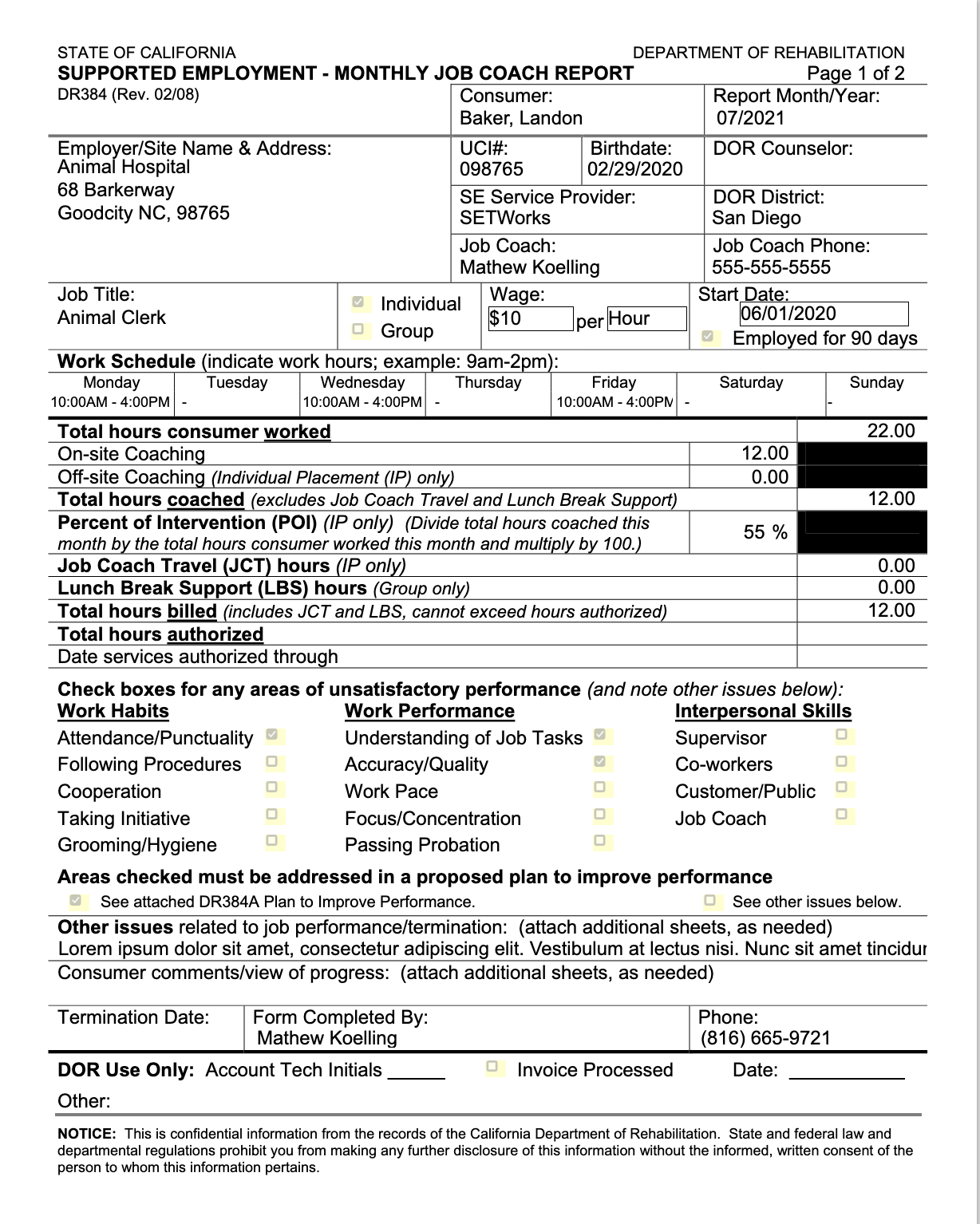
DR 384 - Supported Employment - Monthly Job Coach Report
Page 1
Consumer: Consumer Name
Report Month/Year: Month/Year from the Start Date of the Form
Employer/Site Name & Address: Employer Name and Address from Placement selection
UCI#: UCI # from Consumer Profile
Birthdate: DOB from Consumer Profile
DOR Counselor: Funding Source Contact from selected Authorization
SE Service Provider: Description from Provider Profile
DOR District: Data Entry
Job Coach: Data Entry
Job Coach Phone: Data Entry
Job Title: Job Title from Placement selection
Individual/Group: Data Entry (default is Individual)
Wage: Hourly Wage from Placement selection
Start Date: Hire Date from Placement selection
Work Schedule: Work Schedule from Placement selection
Total Hours Consumer Worked: Total Hours of Consumer At Work Activity Records for Form date range
On-site Coaching: Billable Individual Activity Records where Off-site is not selected
Off-site Coaching: Billable Individual Activity Records where Off-site is selected
Total Hours Coached: On-site Coaching and Off-site Coaching combined for date range
Percentage of Intervention (POI): (Total Hours Coached / Total Hours Consumer Worked) * 100
Job Coach Travel (JCT) hours: Travel Time from Billable Individual Activity Records
Lunch Break Support: Non-billable with Consumer Activity Record with a code of "LBS"
Total Hours Billed: Total Activity Record Time
Total Hours Authorized: Number of hours listed for the Authorization Frequency
Date Services Authorized Through: End date of Authorization Frequency
Check boxes for any areas of unsatisfactory performance: Completed in Form
Areas checked must be addressed in a proposed plan to improve performance: Completed in Form
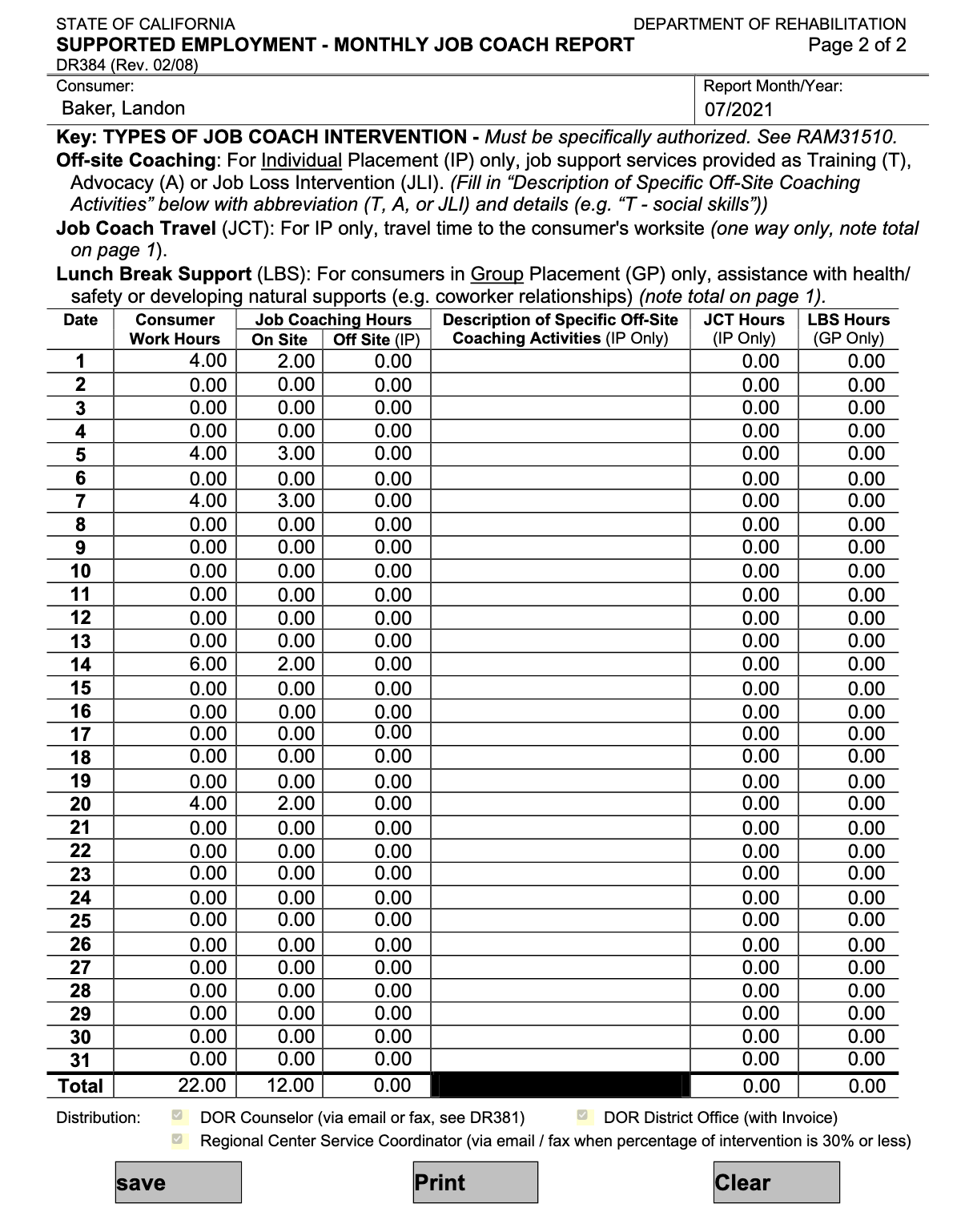
Page 2
Consumer Work Hours: Total hours of Consumer at Work records per day
Job Coaching Hours (On Site): Billable Individual Activity Records where Off-site is not selected
Job Coaching Hours (Off Site): Billable Individual Activity Records where Off-site is selected
Description of Specific Off-Site Coaching Activities: Description(s) from Additional Supports used
JCT Hours: Travel Time from Billable Individual Activity Records
LBS Hours: Non-billable with Consumer Activity Record with a code of "LBS"
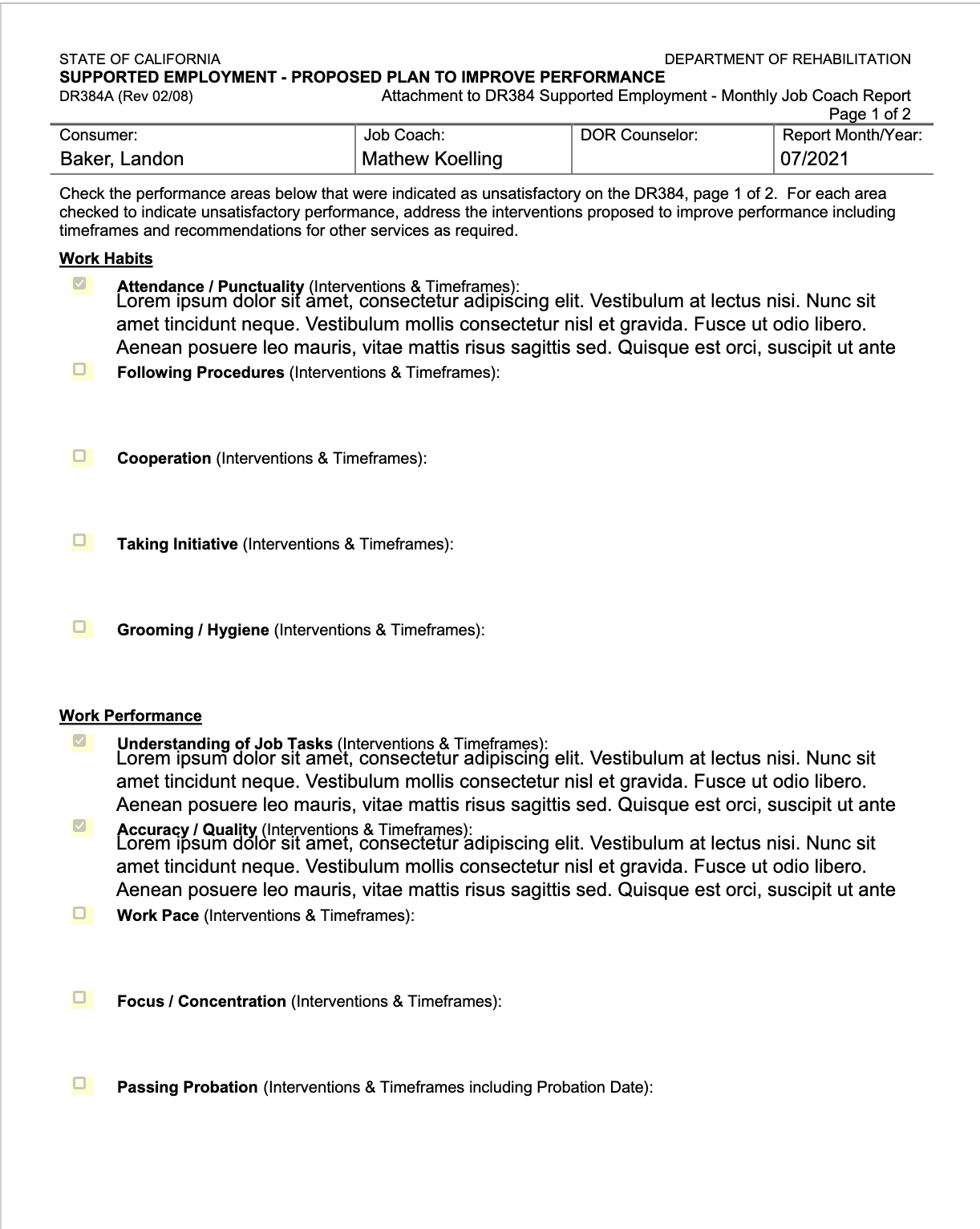
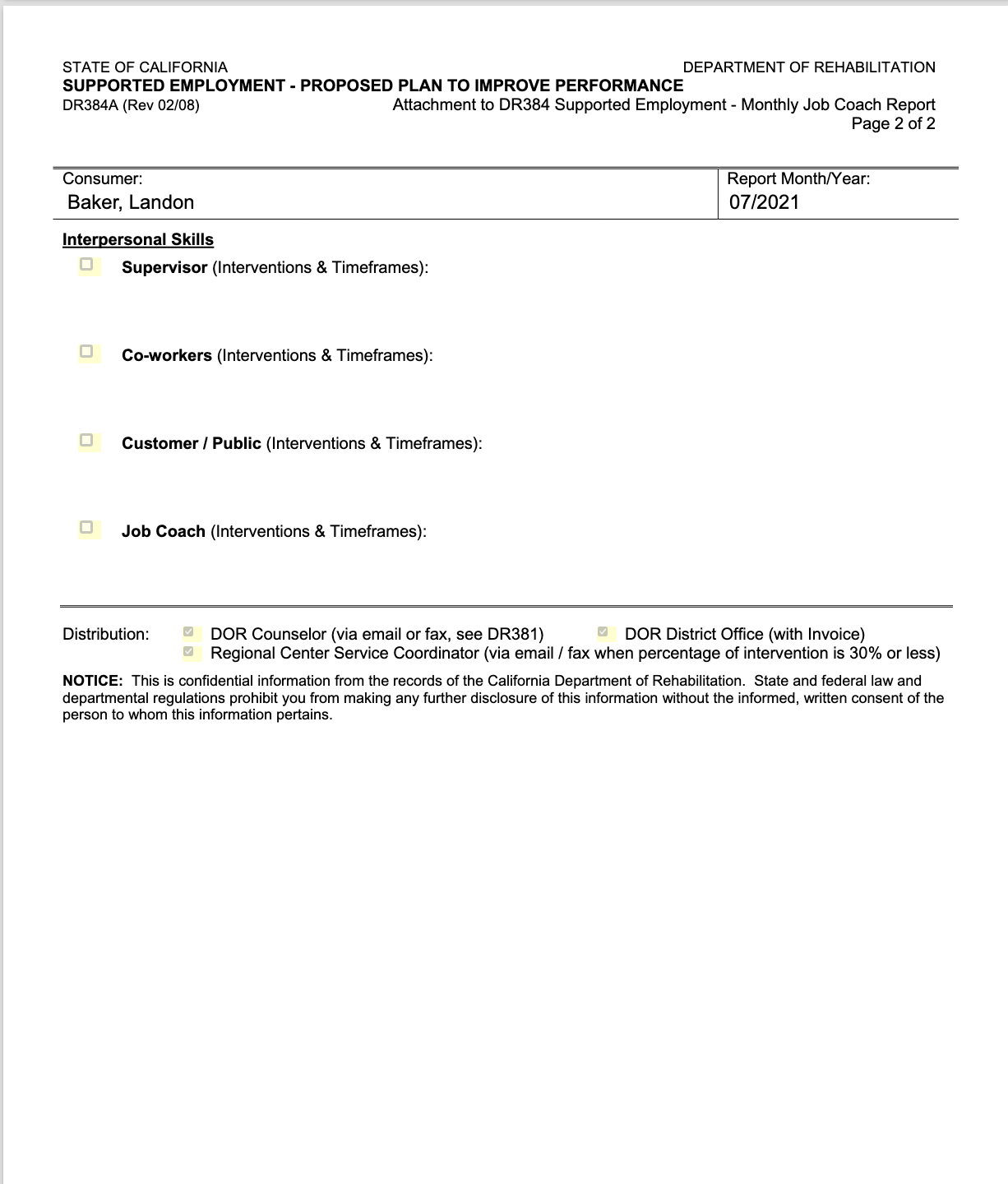
DR 384A - Supported Employment - Proposed Plan to Improve Performance
The DR 384A report will automatically generate and is attached to the DR 384.
Note: The data returned in this section will come from the "Check boxes for any areas of unsatisfactory performance..." section within the form.