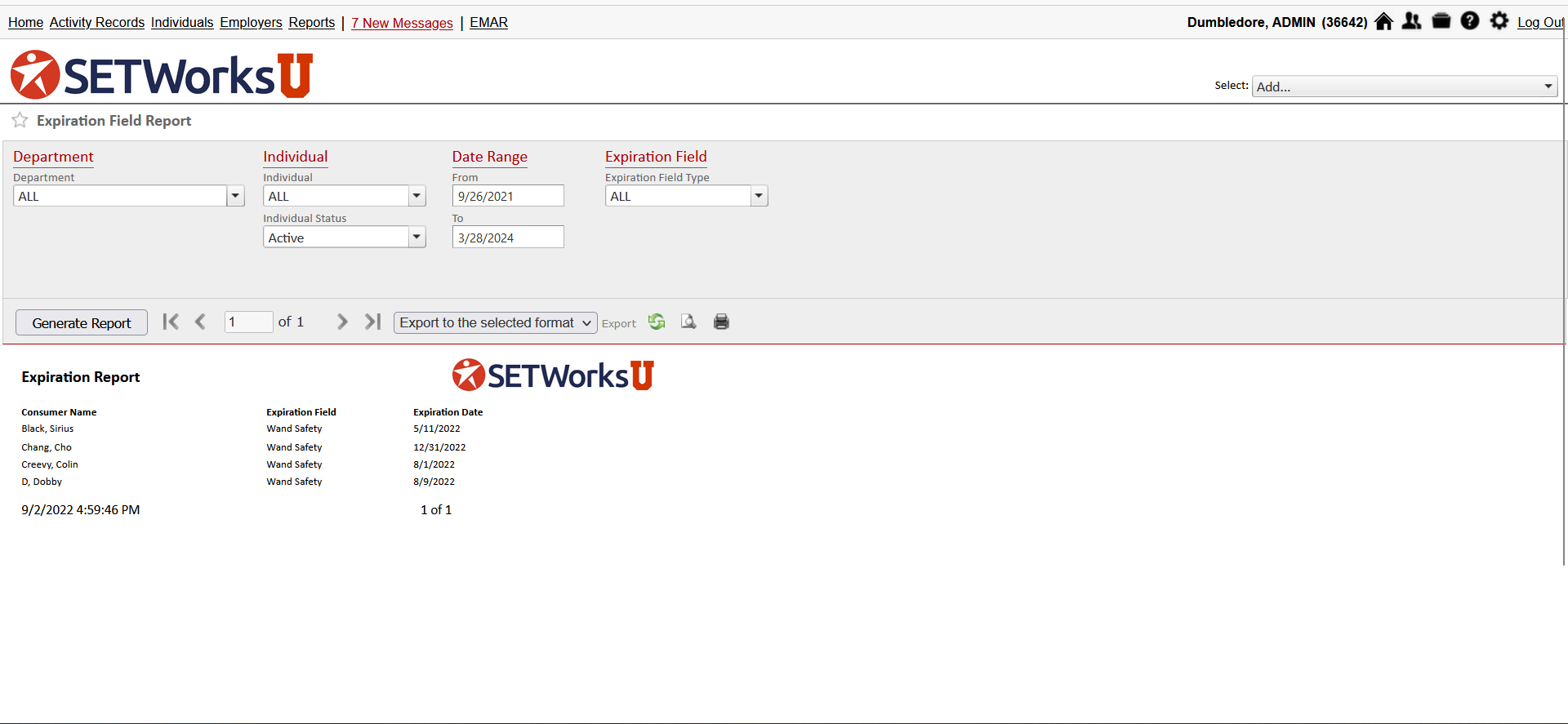
How do I configure Training or Certification or Expiration Fields in SETWorks? How do I ensure staff have up-to-date training and certification before being able to create records?
Administrators
In SETWorks, administrators have the ability to create customized fields that can be used to track Training or Certification or Expiration Fields and expiration dates. These can apply to Staff (Users) or Consumers or Employers. For staff fields, administrators can make these fields required before staff are able to create records.
Note: Terminology can be modified within SETWorks to better fit the needs of your organization. If the terminology in our articles are not the same on your site, talk to your local administrator to assist in translation.
Note: Ensure that users are aware of any training requirements before making them required. Otherwise, staff will be unable to create new records until the applicable training field is updated.
Access the Training/Certification/Expiration Field Utility
Navigate to Settings > Provider Build > Utilities: Training/Certification/Expiration Fields
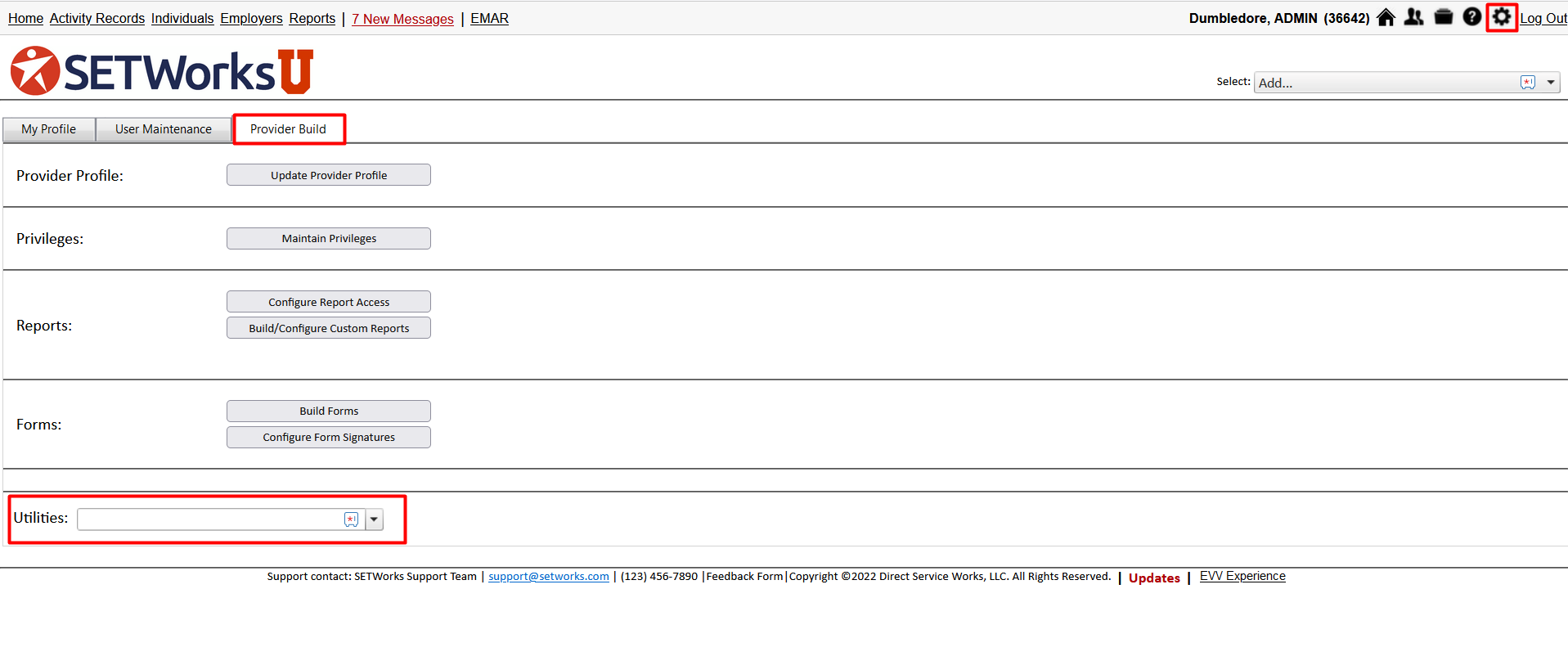
How do I configure fields in the Training/Certification/Expiration Field Utility?
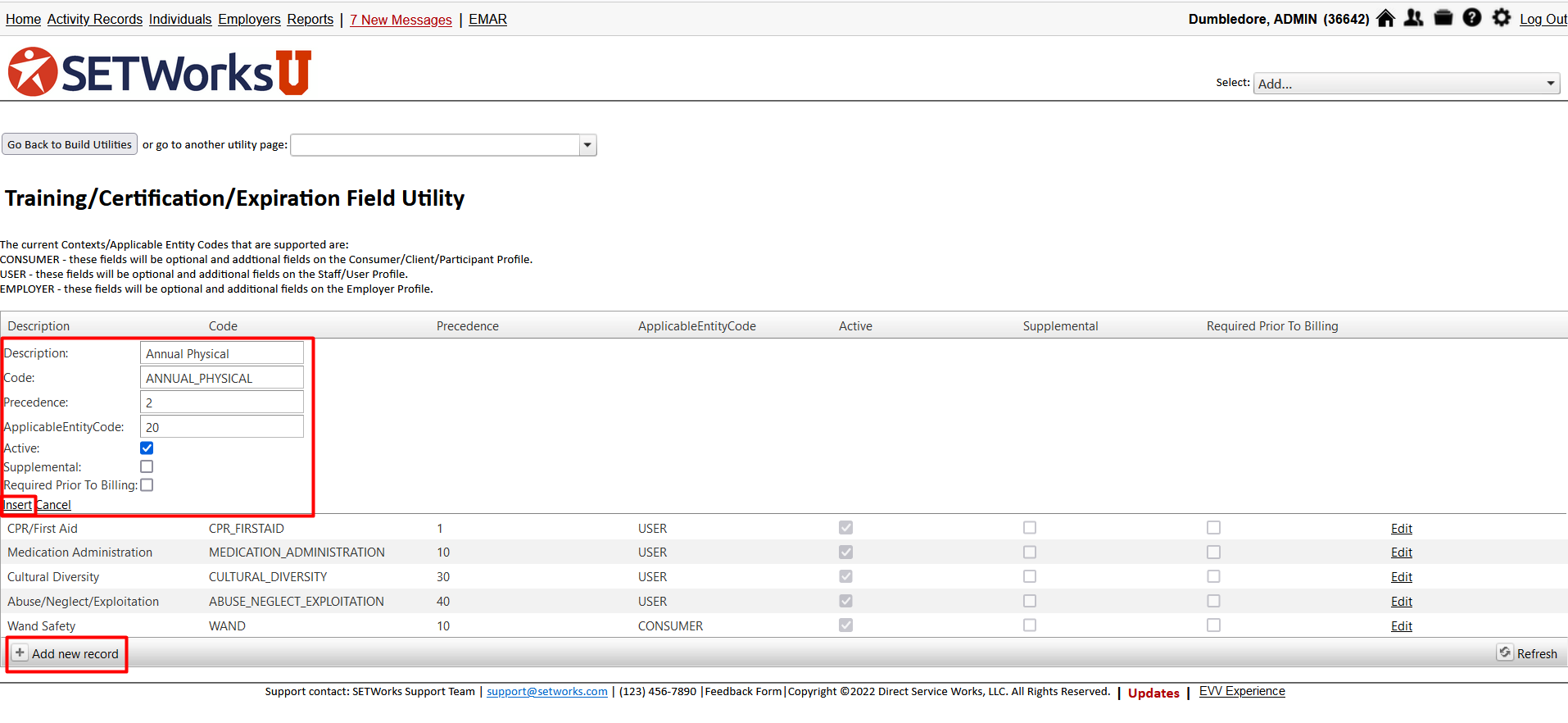
Use the Training/Certification/Expiration Field Utility to create a new field.
- Add new record
Description: The name of the training/Expiration Field (e.g., Annual Physical).
Code: An abbreviation of the description, typically in all capitalized (e.g., ANNUAL_PHYSICAL).
Precedence: The order in which the training names will appear on the list.
ApplicableEntityCode: Determines where the field appears in SETWorks. For Staff, select USER. For a Consumer, select CONSUMER. For an Employer, select EMPLOYER.
Active: Determines if the field is turned on or off.
Supplemental: Should be unchecked (applies to reporting).
Required Prior To Billing: Determines if the field MUST be completed before staff can create new records.
- Insert.
 Required Prior to Billing
Note: Attention - This functionality is changing on April 5, 2024
April 5, 2024 Staff Training/Certifications/Reviews Expiration Fields - Required Prior To Billing
If a Training is marked as "Required Prior to Billing" there are a few scenarios to consider when setting up your Users.
- If a Training is marked as Applicable and there is a Start Date but no End Date, the User can create Billable Activity Records any time after the Start Date.
- If a Training is marked as Applicable and there is no Start Date but there is an End Date, the User can create Billable Activity Records any time before the End Date.
- If a Training is marked as Applicable but does not have a Start Date or an End Date, the training will be fulfilled forever.
- If a Training is marked as Applicable and has both a Start Date and an End Date, the User can create Billable Activity Records between those two dates.
Access the Training/Certification/Expiration Field Reporting
There are various reports available depending on the entity code (e.g., USER, CONSUMER, etc.) selected per training.
Staff
- Staff/ User Expiration Fields
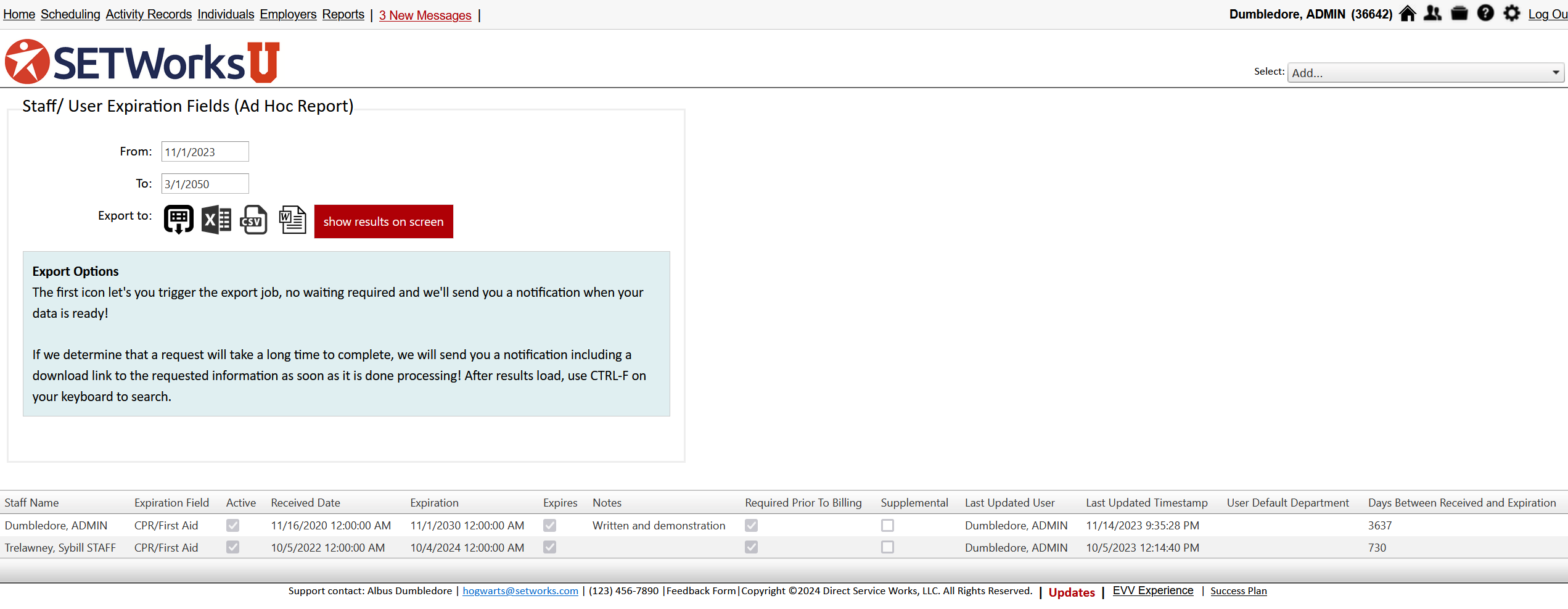
- Staff Expires (training etc.) Report
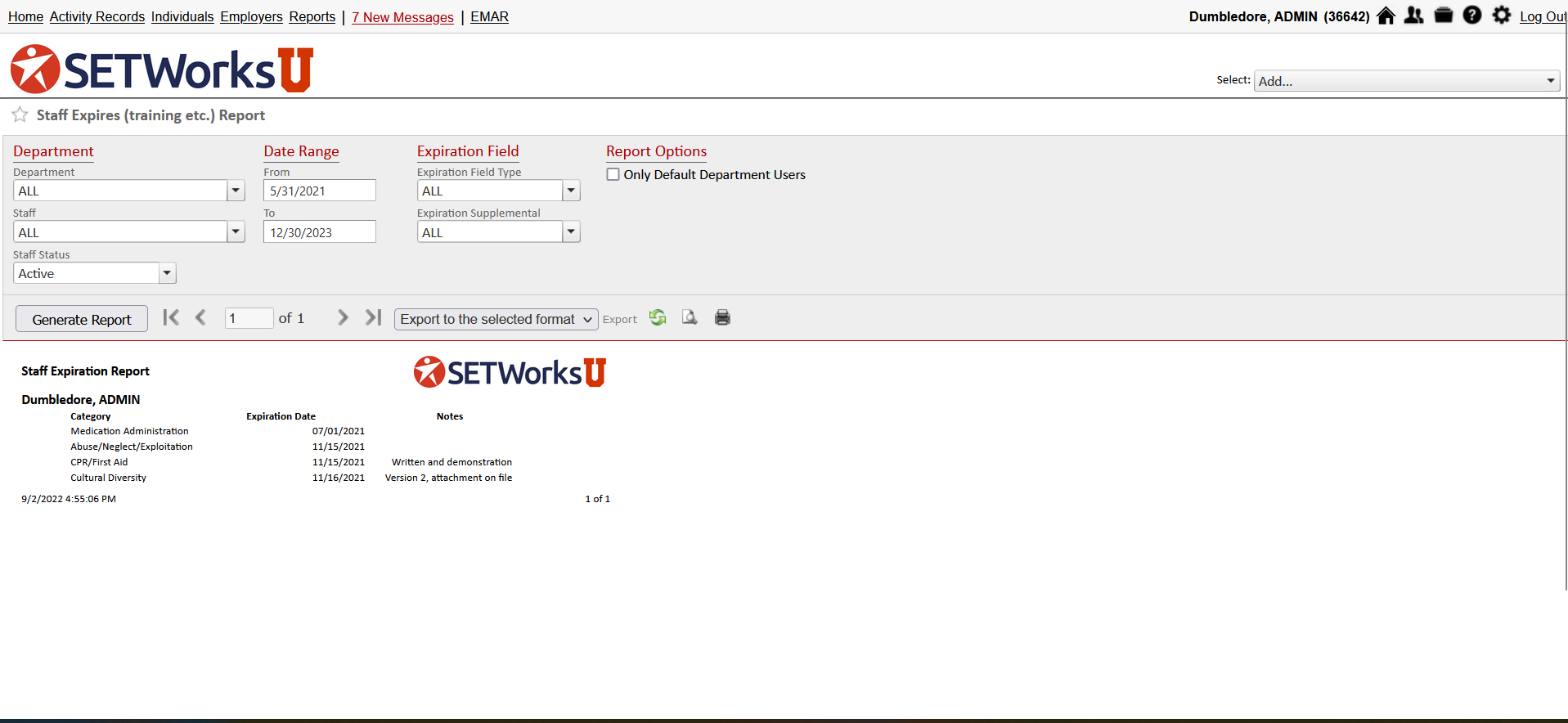
- Staff Expiration Field Data Dashboard
Consumer
- Consumer Expiration Field Tracking Report
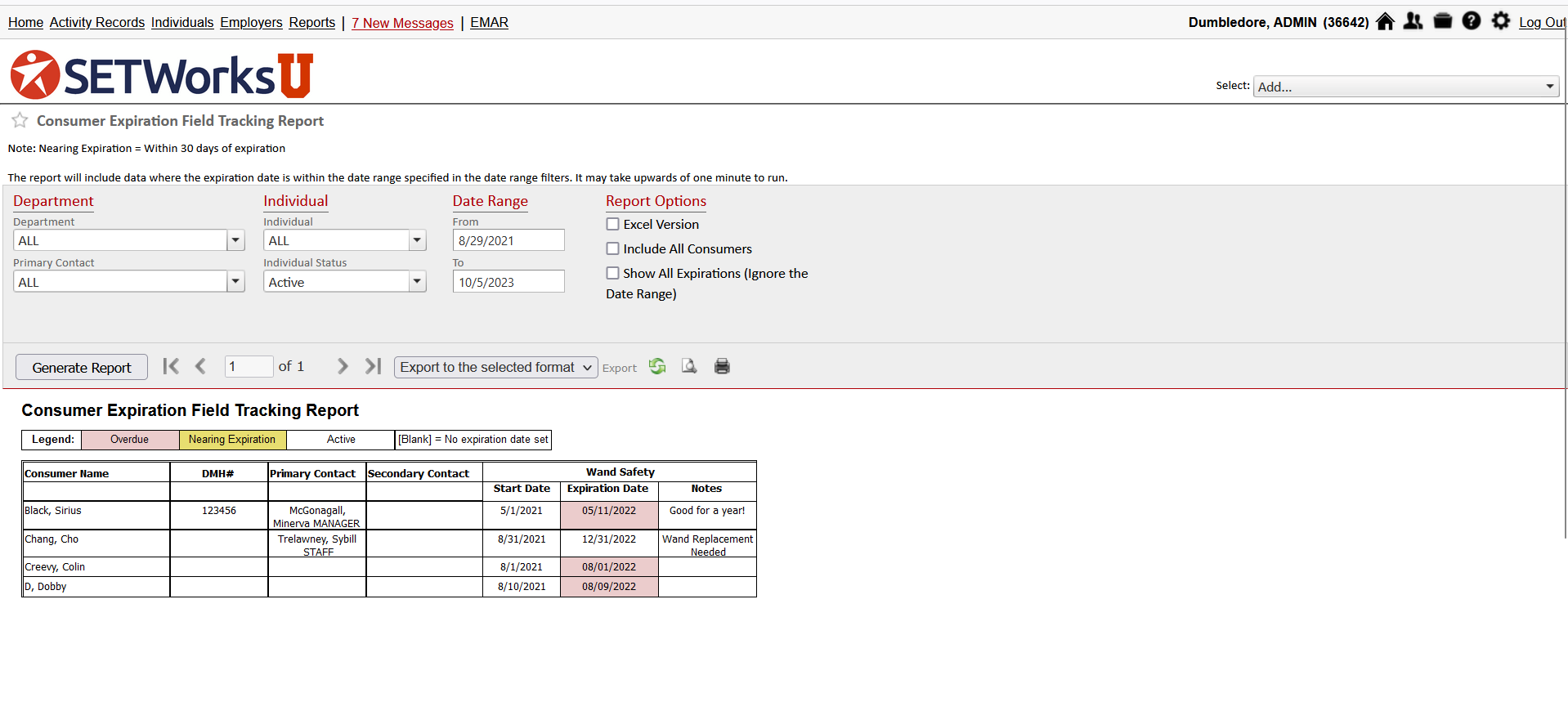
- Expiration Field Report