
Feature Flags
Think of feature flags separate from enabling features. This is to test a new major feature in production and enable to a set of clients. Feature flags are never intended to stick around forever. Product can delete them ourselves when we don't need them anymore. We can also transition a feature flag into a Build Wide feature to provision.
Feature flags will be owned by product and engineering and can be found in Global Admin.
Build Wide Features
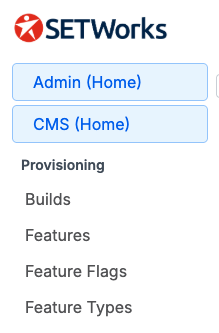
Anything that is not global can be provisioned to a Build from the Features screen. Product can create and assign types to features to simplify provisioning. Common feature types are “add-ons,” “customer specific,” “demos,” etc.
If a feature is not provisioned to a Build, no one in that Build can access it.
We will port the relevant features from SILO into this provisioning model.
Build Wide features can be found in Global Admin.
Build Permissions
Once a feature is provisioned to a Build, an Admin can configure which roles or users can access it. This is similar to the SILO model, but with far fewer permissions because users will only see permissions for features available in their Build.
Utility Permissions
Utility permissions are managed independently of Build Permissions, unless the Utility itself is a Build Wide Feature that must first be provisioned to the Build.
CMS Permissions
Like Utility Permissions, CMS permissions are managed independently of Build Permissions. Each CMS component can have its own set of more granular permissions.
The User Role Report
We will expose a report tied to a User Role, showing all the unique build permissions and all the CMS + Utility exclusions. This will give full insight into each role.